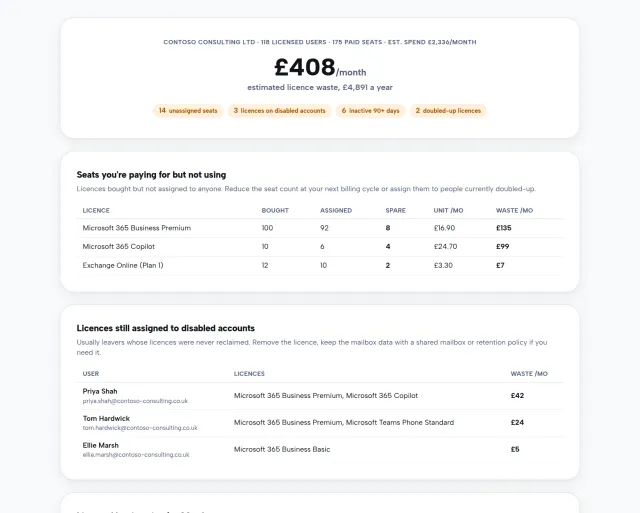
Ask most business owners how secure their Microsoft 365 is and you’ll get a shrug and something about having antivirus. That’s not carelessness. It’s that the honest answer lives in a dozen admin screens most people have never opened, written in language nobody speaks at home. So the question goes unanswered, sometimes for years, and the first real audit ends up being performed by an attacker.
We built a free tool to answer it properly. Our new Microsoft 365 security audit signs you in with your admin account, runs a read-only scan of your tenant’s security posture, and gives you the verdict in plain English. It takes under a minute.
Your score, and whether it’s actually any good
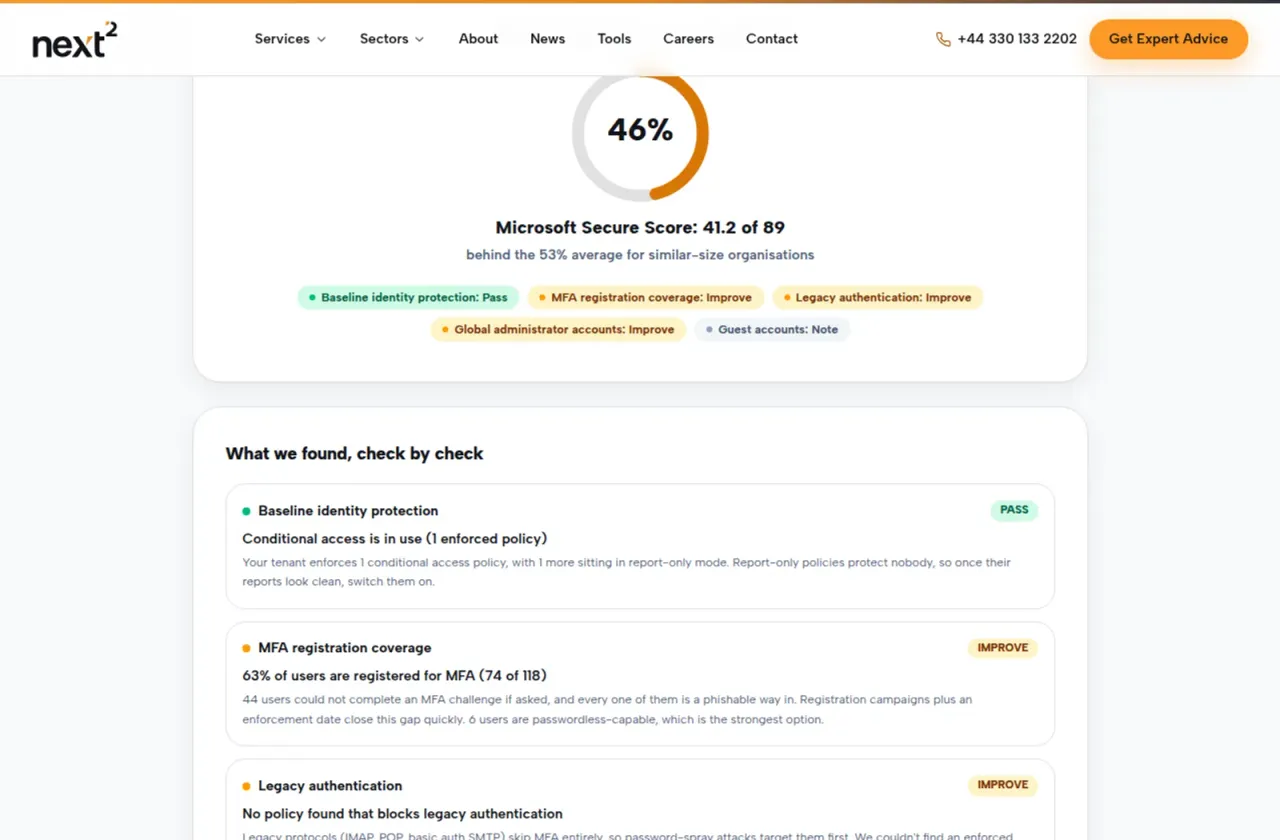
Microsoft quietly grades every tenant with something called Secure Score: a points total calculated from the security controls you have and haven’t turned on. It’s genuinely useful and almost nobody looks at it. The audit puts it front and centre, and then does the thing the admin portal doesn’t do well: it tells you whether your number is respectable, by comparing it against organisations of a similar size.
A word of comfort before you run it. The average organisation scores well under half the available points, so a mediocre number puts you in plentiful company. What matters is what you do with the shortlist underneath it.
The checks that matter most
Alongside the score, the audit examines the handful of settings that decide how most real-world breaches go.
It measures your MFA coverage: how many of your users could actually complete a multi-factor challenge if asked. Microsoft’s own research says MFA stops over 99% of account-compromise attacks, which makes every unregistered user a phishable way into your business.
It checks whether legacy authentication is blocked. The old protocols that predate MFA, things like IMAP and POP, can’t do a second factor at all, so password-spray attacks head straight for them. If nothing in your tenant shuts that door, the audit will tell you.
It looks at your baseline enforcement: security defaults or conditional access, whichever you use. This is where the audit gets usefully blunt. A conditional access policy sitting in report-only mode protects nobody, and plenty of tenants have exactly that: good intentions, switched off. If yours does, you’ll see it called out.
And it counts your global administrators. Microsoft recommends between two and four. We routinely find seven or eight, including old IT suppliers, service accounts and people who left years ago. Every one of them is a full takeover of your business if phished.
What we get to see, and what we don’t
The connection is read-only from top to bottom. Sign-in happens with Microsoft, so we never see your password, and the tool has no permission to change anything. Your results are processed on the fly and discarded; nothing is stored on our servers. If you choose to unlock the full report, the summary that reaches us contains your score and the check results, never your users’ or admins’ names. And an admin can revoke the whole connection afterwards in Microsoft Entra, under Enterprise applications.
From a number to a fixed tenant
The full report ends with the part we like best: Microsoft’s own improvement actions for your specific tenant, ranked by the points each is worth. Not generic advice, your actual to-do list, in order.
Most of the items are settings rather than purchases, but the sequence matters. Enforce MFA before you block legacy authentication, warn people before their sign-in experience changes, exempt the photocopier’s mailbox before it stops scanning, and keep a break-glass account outside every policy. That careful ordering is the difference between a tidy security upgrade and a Monday morning where nobody can log in. It’s work we do routinely as part of Cyber Essentials preparation and our wider modern workplace service, with zero lockouts as the standing target.
Find out where you stand
Run the free security audit. You’ll need to be a Microsoft 365 admin, it takes under a minute, and the worst outcome is discovering you’re already ahead of the pack. If the results raise eyebrows, talk to us and we’ll walk through them with you, no pressure attached.